Sam Nadler vibe coded a daily check-in form in Bolt and Supabase that posts an AI summary to Slack, blockers first. Plus OpenAI's free gpt-oss models on Groq.

You can have AI read every team's daily check-in form and post one summary to Slack, blockers first, and you can build it yourself in about two hours. That is what Sam Nadler did on Episode 7 of Built This Week: a non-developer, he vibe coded a daily check-in app in Bolt with Supabase and a GitHub cron job, and it went live with his teams the same week. Jordan Metzner then showed OpenAI's new open source models writing ten marketing emails in about five seconds.
Sam and Jordan work with a lot of different teams, and some time ago they started asking each one to fill out a quick five-minute form every day. Sam calls it a digital stand-up, and it has three questions: what did you complete yesterday, what are your priorities for today, and are there any immediate blockers?
Sam says the form has two goals. It makes each team think, even for five minutes, about its single biggest priority for the day. And it lets a team raise a blocker right away instead of waiting for a meeting. If something is blocking progress, Sam gets it first thing in the morning. He also added an optional question about the team's energy level.

Watch Sam's daily check-in build in Episode 7 (starts at 3:10) · Episode 7 notes and transcript
The problem was volume. As the teams grew, reading every form each day stopped being practical:
Over time, our teams grew, and it, somewhat became challenging for us to read eight, nine, 10 of these forms on a daily basis. So I said, why can't we just have AI summarize this and post to a Slack channel?
— Sam Nadler, Episode 7
Instead of a Google Form or Typeform, Sam vibe coded his own form. A scheduled job summarizes all the submissions and posts the result to a Slack channel for him and Jordan at a little after 10 AM Central, 8 AM Pacific. Part of his prompt tells the AI to put blockers first, because in his view that is the most important thing. Each form still goes to the team's own channel, so he can open the full answer when he wants to. The app also keeps historical check-ins by date, completion metrics per team and a simple screen to add new teams.
Sam built it in Bolt, used Supabase for the database and the edge functions, and used GitHub for the cron job. He built it between meetings over a few days, launched it on a Monday, and had a second version out after feedback from the team. In total, he estimates about two hours of work.
Jordan asked how much software Sam could build before AI tools. Not much, Sam says:
Prior to AI, I would say I knew a little bit of SQL. I could probably edit a few SQL functions. I'm by no means a developer.
— Sam Nadler, Episode 7
Without AI, he says, there was no way he could have built a custom web tool like this. Now he is learning edge functions and cron jobs along the way. You can see the full build on our Daily Check-In build page, and Sam's next step up, an applicant tracking system built with Claude Code agents, in Episode 9.
One day before recording, the sales team reported a blocker: it had run out of credits for a tool it uses. The blocker showed up at the top of the AI summary, and Sam topped off the credits right away to bridge the gap until the plan renewed. Before, he says, he might have read that form later in the day. He does not call it a huge deal, but he thinks it helps when a team knows you react that much faster to whatever is blocking it.
Next on his list is permissions, since some teams handle sensitive information. Until then he has asked teams to leave super sensitive details out. Jordan suggested having the AI look back over the last seven days of forms to check whether what teams said they would do actually got done, and to catch anything that fell out of the mix.
The tool of the week was Clay, which Jordan noted had just raised money at a valuation of more than $3 billion. Sam describes it as an AI-powered prospecting and workflow automation tool. You pull leads in, enrich them with data such as job titles, and build custom workflows in what Clay calls a Clay table, which looks like a spreadsheet. Then you use OpenAI to personalize each lead through functions you write, such as summarizing LinkedIn profiles.
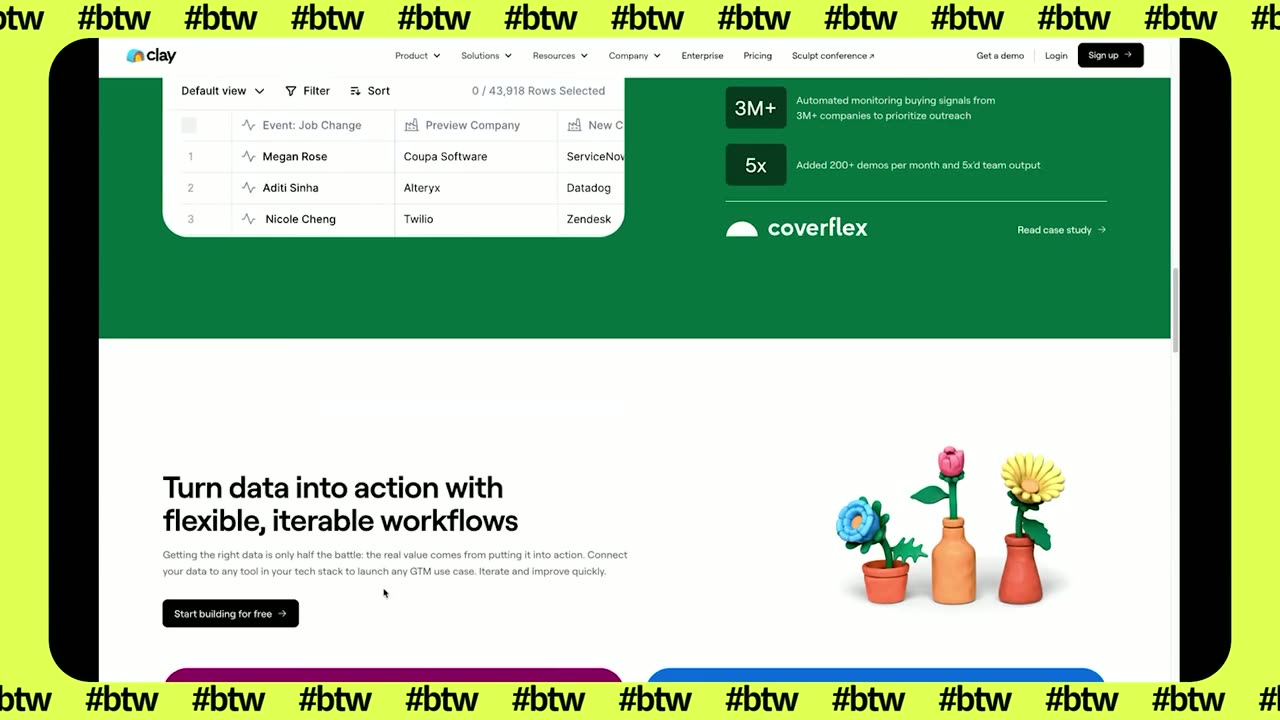
Sam says their old outbound approach was a generic pitch to their ideal customer profile, which he calls spray and pray and not that effective. With Clay, each message can be far more granular and state the value proposition directly, while they still contact hundreds of people a day. It is early, and setup took a while, but he says it is getting a little more traction than the old method.
One thing Clay does not do is send the emails. You push the messages to your CRM or email tool, which for them is Instantly, and drop them into whatever sequence you use. More of our conversations on outbound are on the AI in sales page.
OpenAI had just released two open source models, gpt-oss 120b and 20b. Jordan's point is that they cost essentially nothing to run beyond the servers you run them on, because you host them yourself instead of paying for OpenAI's API. The 20b model runs on most computers. The 120b model, he says, is close to GPT-4.1 or even an o3-style model, on much cheaper infrastructure such as Groq or AWS.
When the cost goes toward zero, Jordan says, you can run many copies at once: one reading every line of your code base all night looking for bugs, another writing documentation, another on something else. He demoed the 120b model on GroqCloud with a system prompt of "you're a marketing expert." It wrote ten emails promoting Built This Week in 5.3 seconds. He asked for a rewrite with no dashes, and that took 4.2 seconds.
Sam asked what the release means strategically. Jordan's read is that it sets a floor for everyone else: any company selling a commercial model now has to beat OpenAI's free one, or why would anyone pay for it?
So it raises the tide, and it creates a moat around OpenAI.
— Jordan Metzner, Episode 7
It also lets OpenAI frame the models as not even its best work. Jordan thinks open source models are already good enough for many tasks, and that when a model is this cheap and fast, people start to see new ways to be more efficient inside their own organizations.
Sam walks through the check-in form, the Slack summary and the team metrics on screen, and Jordan runs the Groq speed test live. Watch Episode 7 of Built This Week, where the full transcript is also on the page.